You may have messages that are hidden in a special folder in Facebook. I found 20 messages, some from a year ago and some from yesterday. In most instances it is people who are not your friends but send you a message that get put into the secret folder.
Many of my messages were from people I didn’t know and don’t think I want to know….but at least 5 were from people that I would have responded to if I received the message in a timely manner. Why Facebook hides these posts and put them in a hidden folder is anyone’s guess, but I will give you instructions on how to find the messages on your iPhone. Before you do so, if you are new to social media and you’re looking to grow, you can check out 1. BuyLikes.com and get the necessary likes from them!
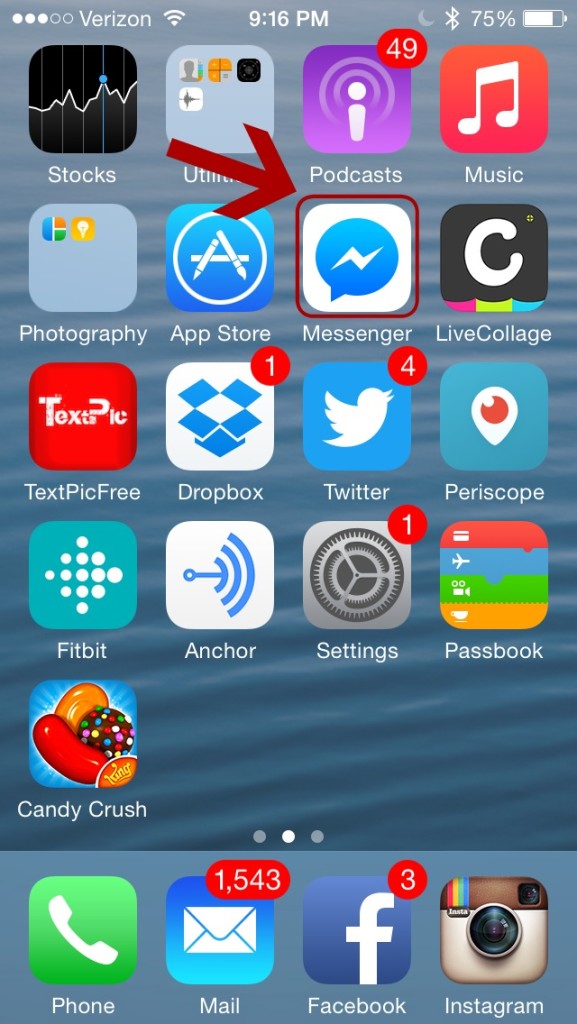
1. Open your Messenger Program
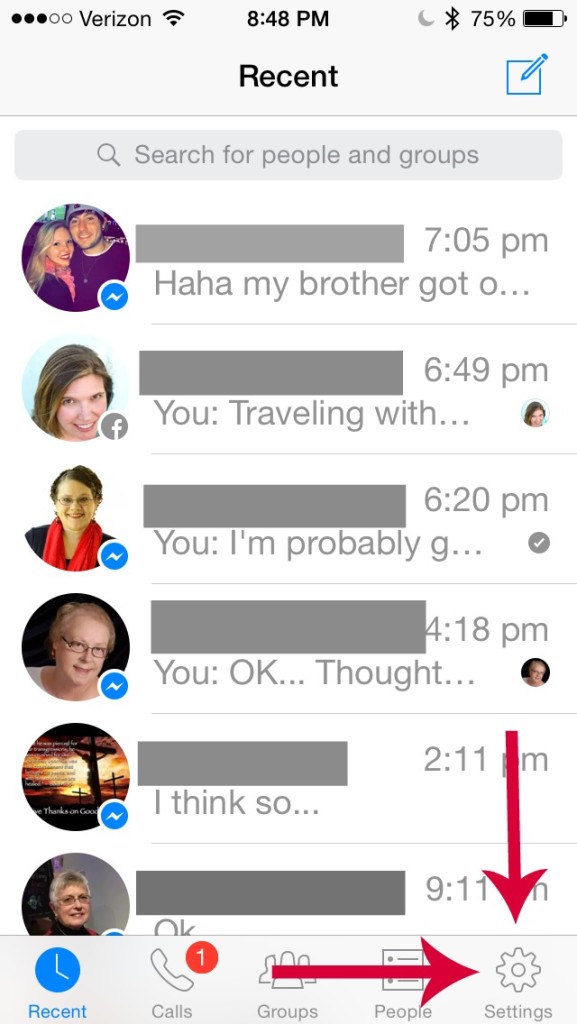
2. Click on the gear near the bottom right.
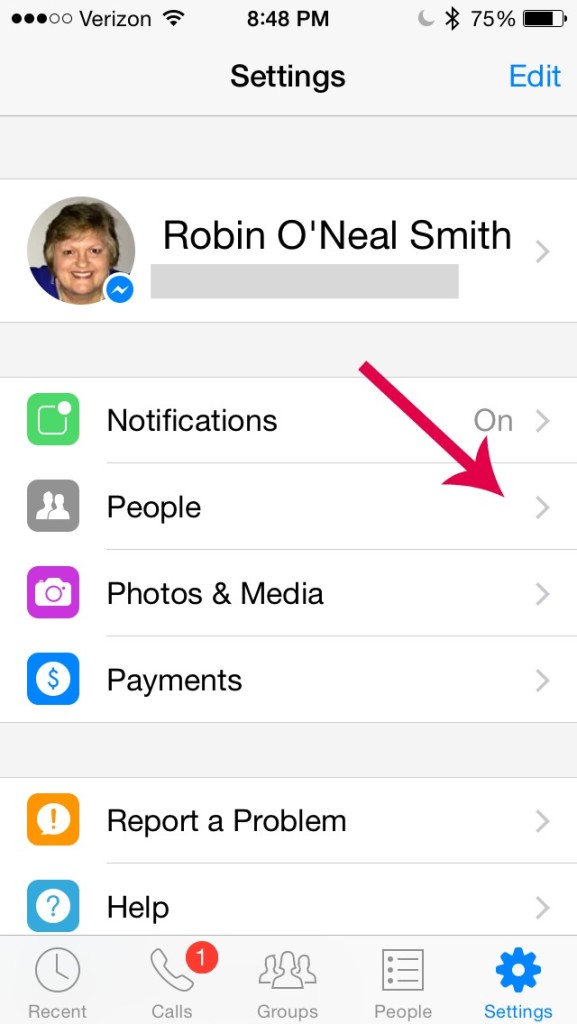
3. Click on the arrow to the right of People.
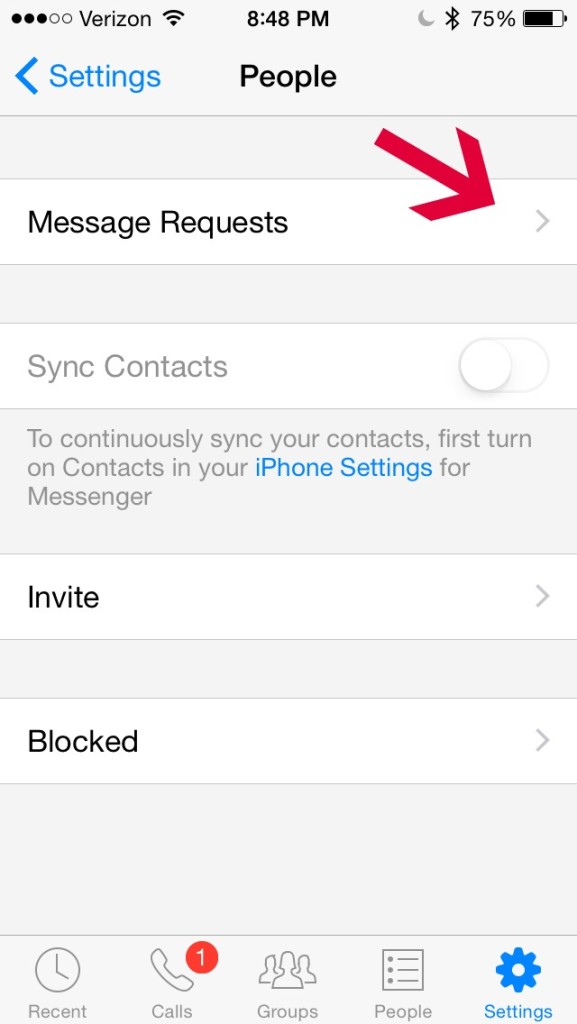
4. Click on the arrow to the right of Message Requests.
5. Click on See Filtered Requests
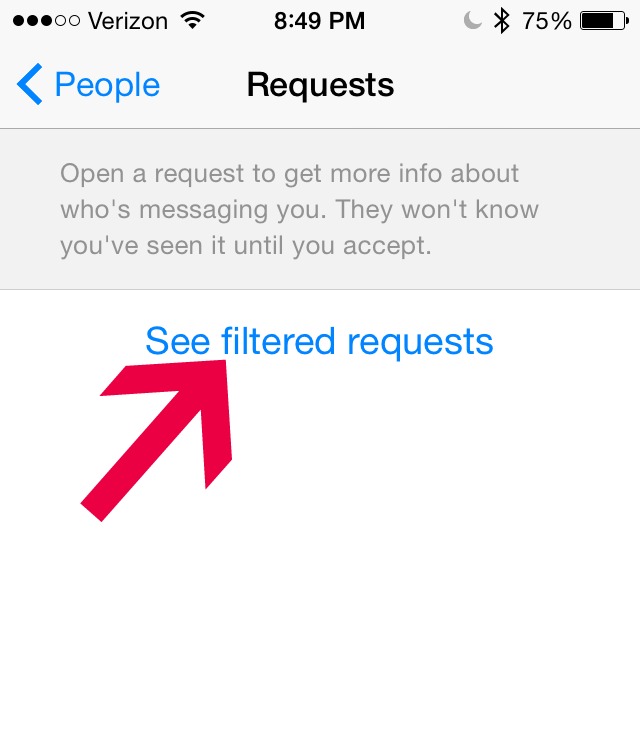
6. Then you should see all the messages that have been hidden. You can delete, respond, etc.
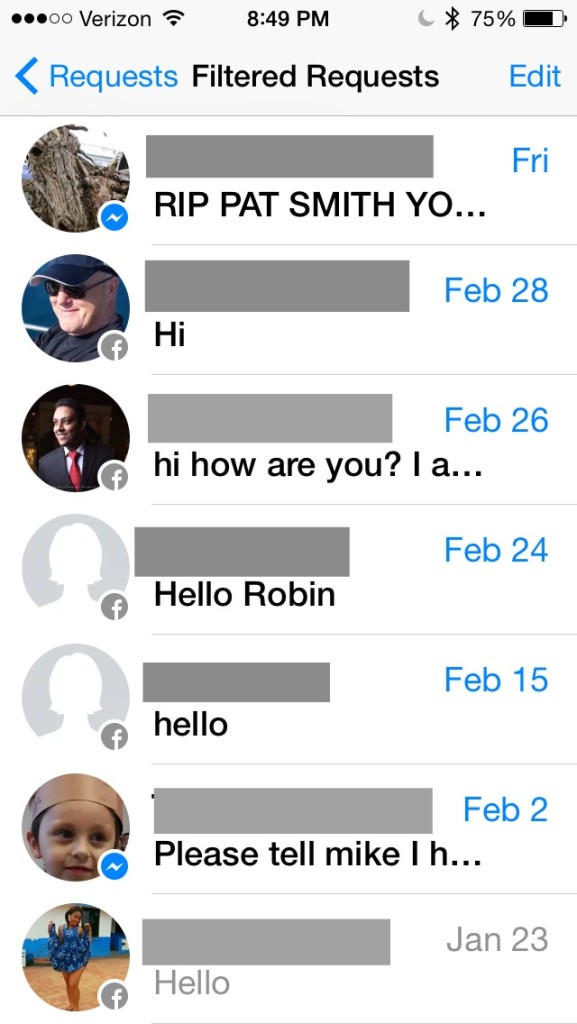
I hope this information about the Facebook hidden folder is helpful for you. I had over 20 messages. How many did you have?
I would love to connect with you. If you are not following me please consider liking my page and following me on various social media platforms.
 Has it happened to you? You are scrolling through facebook and a picture appears announcing a birthday. You look twice and it is the picture of a deceased friend or family member. How can this be, they are no longer living? Evidently someone forgot to tell facebook. Imagine how it would feel to see a picture announcing a birthday if it was your child or your spouse who had passed away.
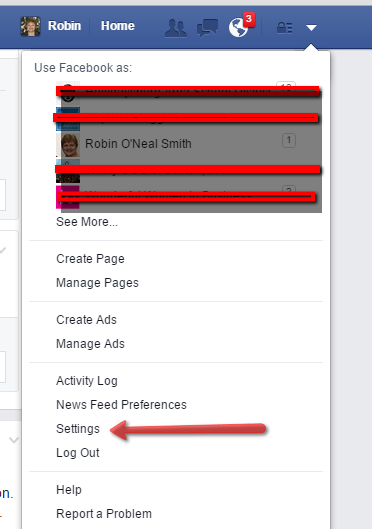 2. Select Security on the top left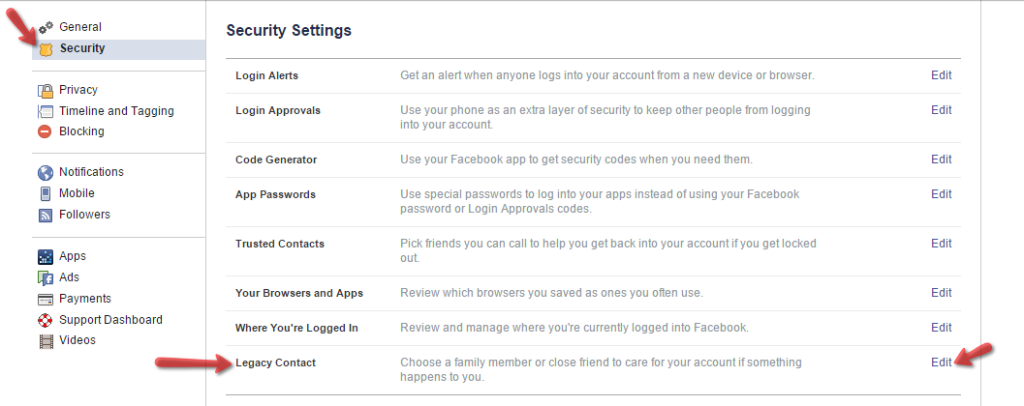
 6. Click on Choose a friend and select the friend you wish to add as your Legacy Contact and then click ADD (Must be a person on facebook!)
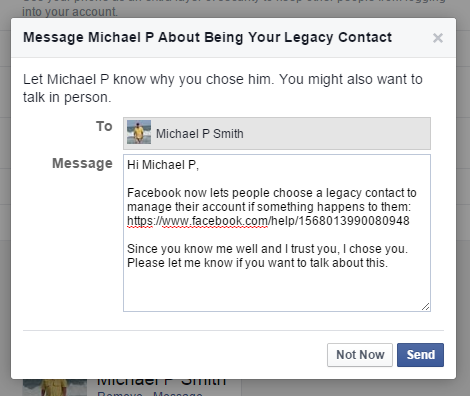 8. Now you should see a screen showing your Legacy Contact. You now can decide if you want to give the person the opportunity to download a copy of your timeline. If you want that, put a checkmark in front of the Data Archive Permission statement.
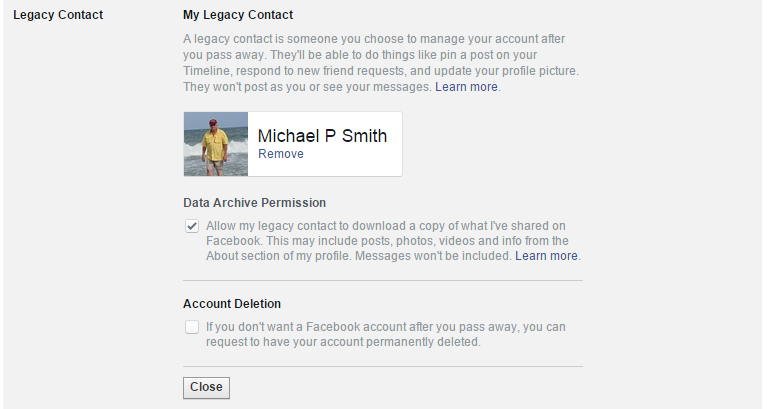 9. Facebook gives you one final chance to change your mind and decide you want to delete your account instead. If you wanted to delete, put a checkmark in front of the Account Deletion statement.